

Every year or two, Vanguard changes its process slightly. If you understand the Backdoor Roth IRA, these little tweaks are no big deal. If it's your first time, they can be confusing. We periodically update this post, but if you're doing this process sometime after this post gets published again, don't be surprised if it looks a little different from what you see here. The most recent update uses all new screenshots from 2026 as they changed significantly from prior years.
Here's all you need to know to do a Backdoor Roth IRA with Vanguard.
Step 1: Contribute to Vanguard Traditional IRA
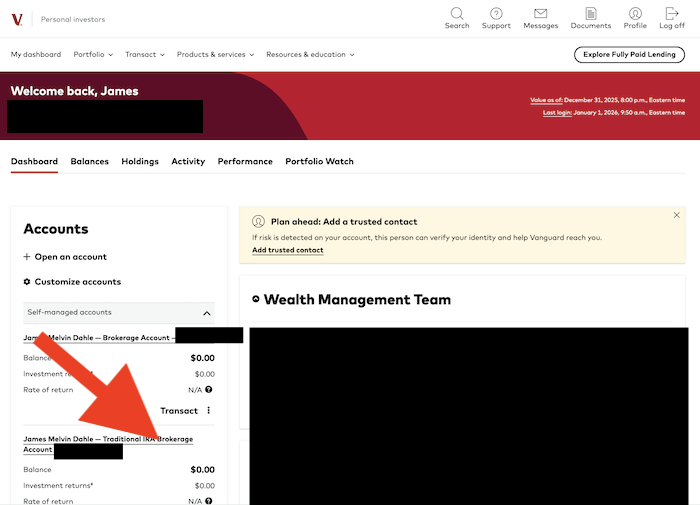
First, from the dashboard (first thing you see after logging) click on your traditional IRA account. Note that you can also click on the three dots next to “transact” in the account, select contribute to IRA, and skip a step (see next screenshot). Either is fine.

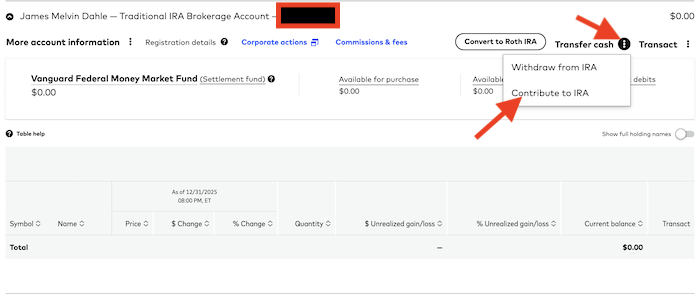
If you did the first option, you'll see this page. If you did the second, skip a screenshot and we'll catch up to you in a second. Go to the 3 dots next to transfer cash and select contribute to IRA.
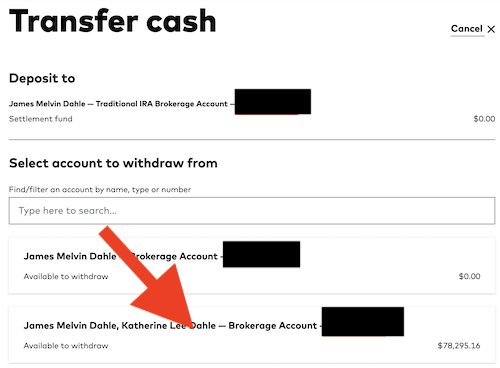
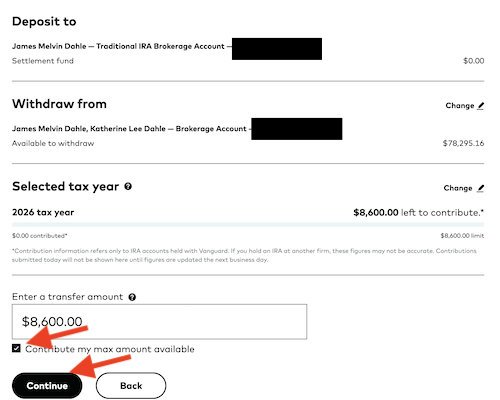
This will bring you to this page. Since I already selected the IRA, I just needed to choose the account I wished to fund it from. I chose the joint brokerage account that had money in it rather than the individual that did not. Note that you can also fund your IRA from your outside bank (checking) account, but your money will likely be held a few extra days until it settles before Vanguard will let you do the conversion step of the Backdoor Roth IRA process.
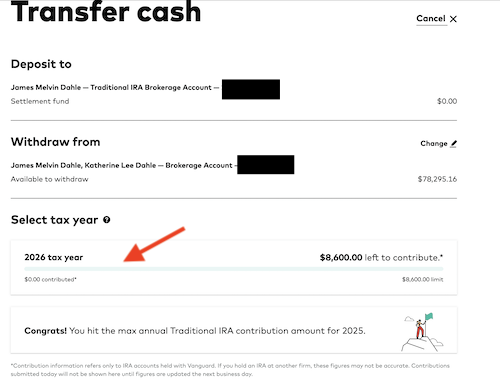
You'll also need to choose the year you wish to make your IRA contribution for. Since I had already maxed out a 2025 contribution the prior year, my only option was for 2026. If you have not yet done your prior year contribution, you should do them both as soon as possible. You have until April 15th of the following year to make a contribution.
Now put in the amount you wish to contribute or just hit the “Contribute my max amount available” button, then hit “Continue”.
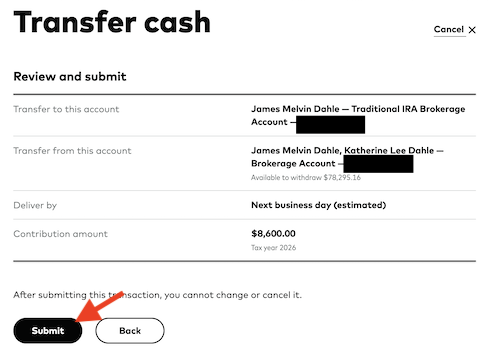
Now hit submit.
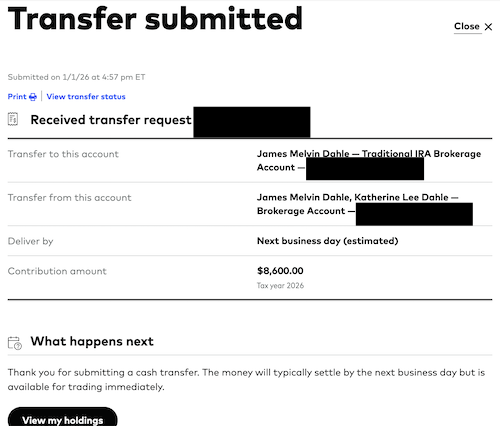
Congratulations! You're now done for the day and maybe for a few days if you used money from outside of Vanguard to contribute.
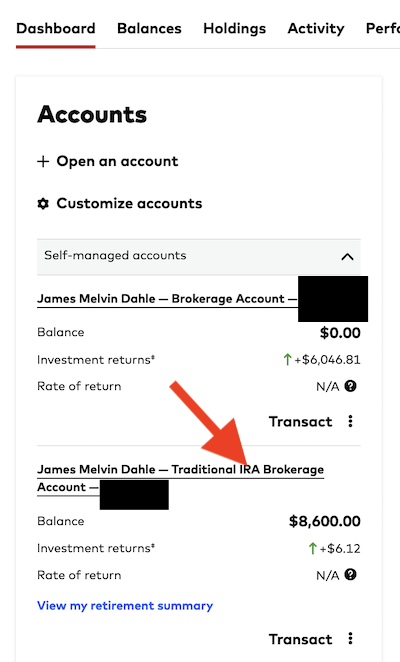
Go spend some time with your kids. Or your patients. Or your dog. Or your beer or video game or whatever. Come back the next business day or perhaps a few days later. Do not wait months or years to come back. It's best to do the conversion step relatively soon after the contribution step to minimize earnings between those steps. Don't bother investing the money while it is still in the traditional IRA either. You're likely to regret that. It can just sit in cash (i.e. the money market fund where Vanguard dumped it when you contributed it.)
Step 2: Convert Vanguard Traditional IRA to Roth IRA
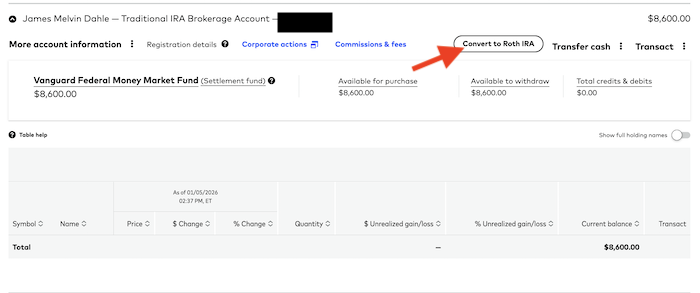
Now, when you come back, click on your IRA account again. There should be a balance there. (It should have been there the day you contributed it, you just couldn't convert or withdraw it yet.) Note that mine says $8,600. That's because these screenshots are from 2026 and I'm now 50+, so that's my max contribution. If you're under 50, yours should say $7,500 [visit our annual numbers page to get the most up-to-date figures].
Then you'll come to this page. Now, click the super obvious “Convert to Roth IRA” button. Note that if you haven't waited long enough, your $8,600 (or 7,500 or whatever) will not be “Available to withdraw.” If not, you can't yet do this conversion step. Give it another day or three.
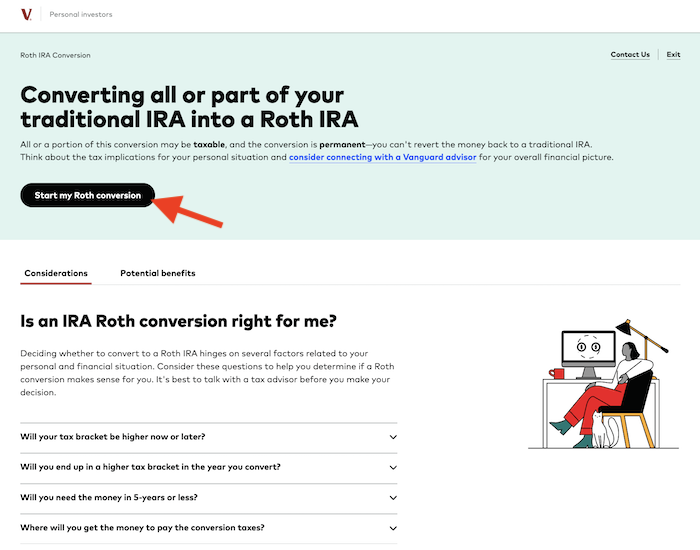
Click on “Start my Roth conversion”.
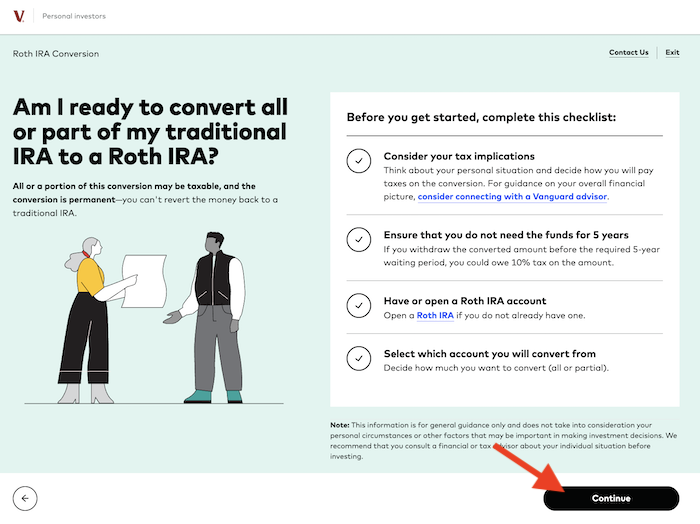
Click continue. Don't let the warnings scare you off. A Backdoor Roth IRA, done properly, has no tax bill associated with it. I guess if you don't yet have a Roth IRA, you can click on the link there and open one. I did have one, so I didn't click on it.
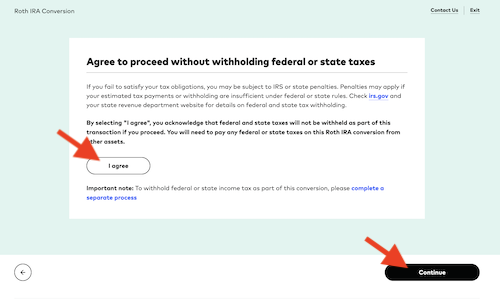
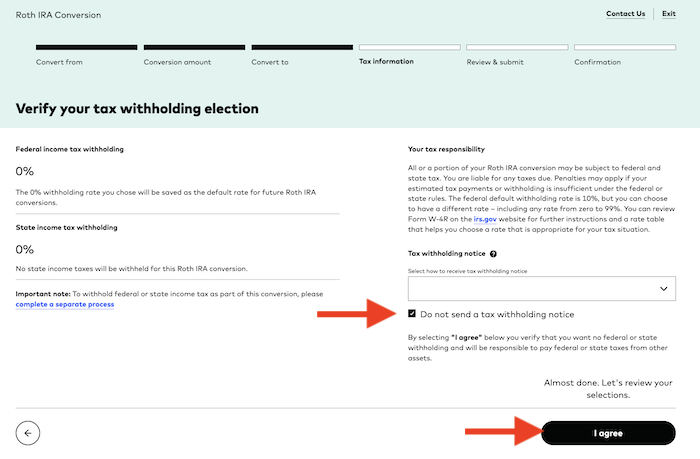
This next screen is where things got a little more complicated compared to prior years. You used to be able to just click a button that said “Don't withhold taxes” for this conversion that doesn't generate a tax bill anyway. Now you have to go through a little more rigamarole to say the same thing. Hit “I agree” then “Continue”.
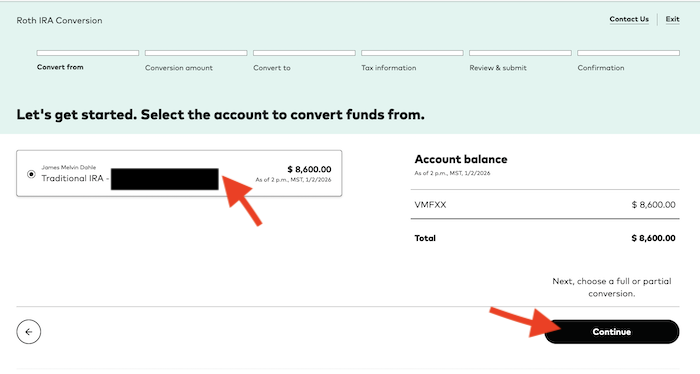
Select your Traditional IRA account, then hit Continue.
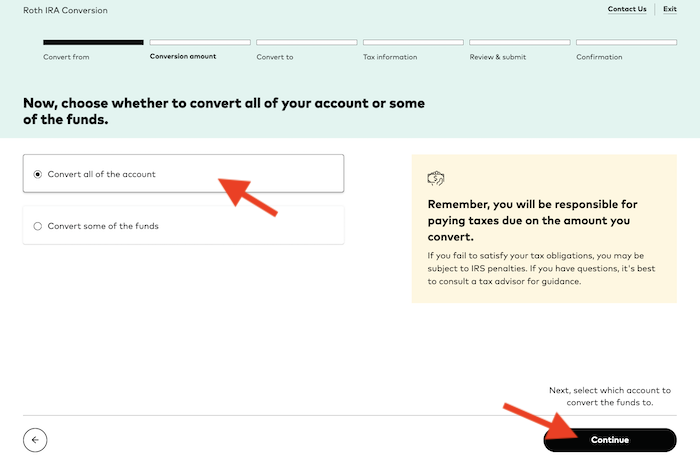
Now convert all of the account. No reason not too when doing a Backdoor Roth IRA properly. Hit “Continue”.
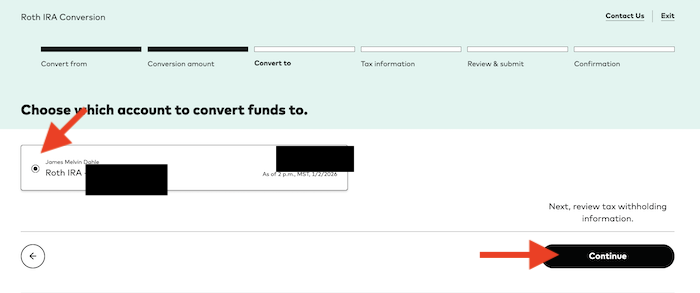
Choose the Roth IRA you'll be converting the funds into. It's really easy if you only have one like me. Then hit “Continue.”
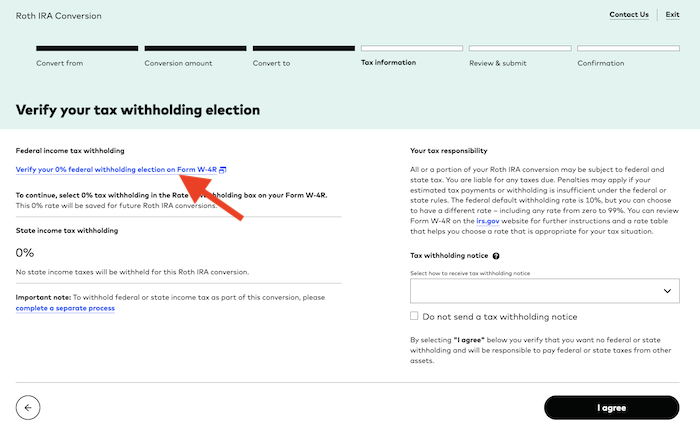
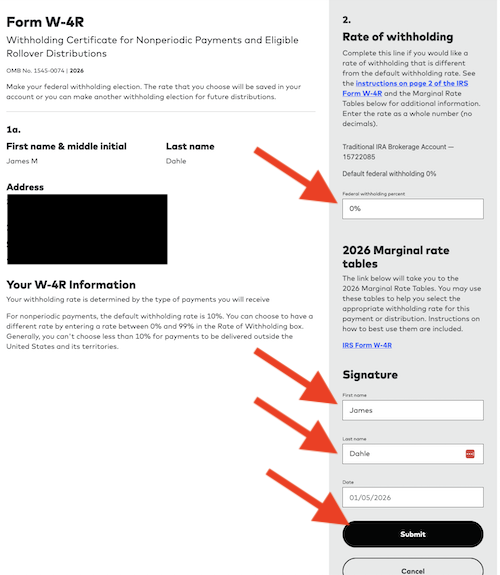
This screen may be new to you. Click the link that says “Verify your 0% federal withholding election on Form W-4R”. It'll open a new browser window.
In the new window, you'll see this screen.You're now filling out an electronic W-4R. Just put 0% in the box. You don't want taxes withheld from this tax-free transaction. Put your first and last name in and hit “Submit”.
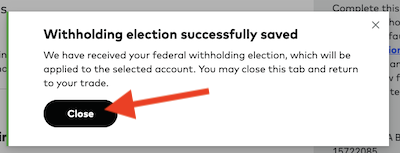
You can close the pop up message (or not) and go back to your other browser tab. It should be refreshing.
It should say you are not withholding anything for federal or state taxes. This page is where you select how (and if) you want to receive a tax withholding notice. I don't, so I hit the box “Do not send a tax withholding notice.” I don't need a notice saying no taxes were withheld. Then hit “I agree”.
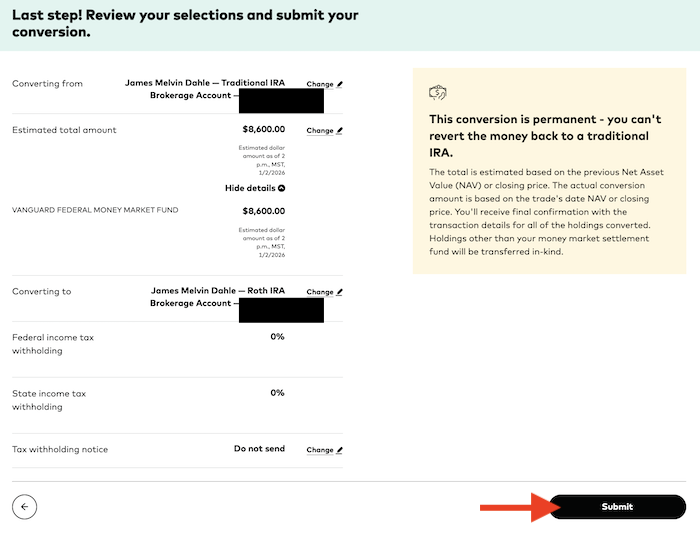
If it all looks good, hit “Submit”.
Don't forget to invest your Roth IRA money, or it'll just sit in cash.
More information here:Step 3: Choose Vanguard Roth IRA Investments
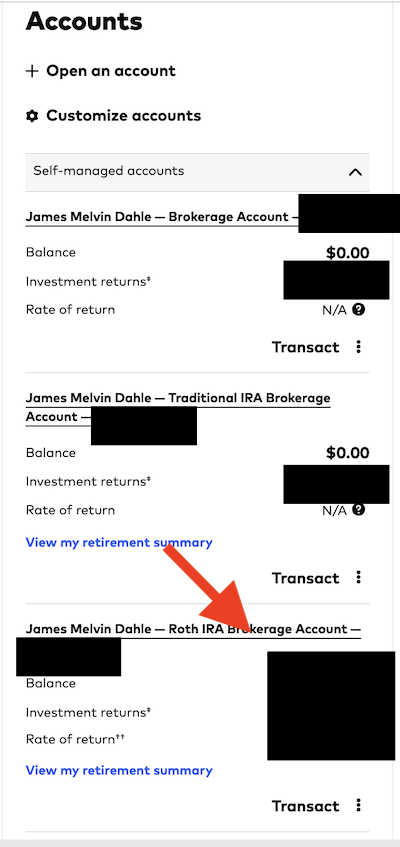
You have to invest the money now in your Roth IRA or it'll just sit in cash earning whatever money market funds are paying between now and whenever you realize your mistake. Here's how to put in a buy order for a mutual fund in your Vanguard Roth IRA. If you're using ETFs there, it's fine, but as you probably already know, the process to buy an ETF is slightly different than the process to buy a traditional mutual fund. Start by clicking on the Roth IRA account. You can also use the three dots by “Transact” to skip a step.
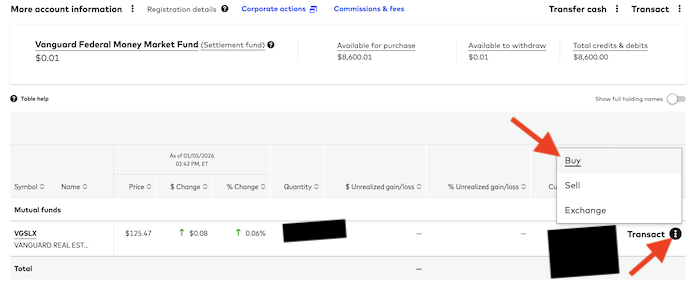
Now you can click on the three dots on this page next to “Transact” and pick “Buy”.
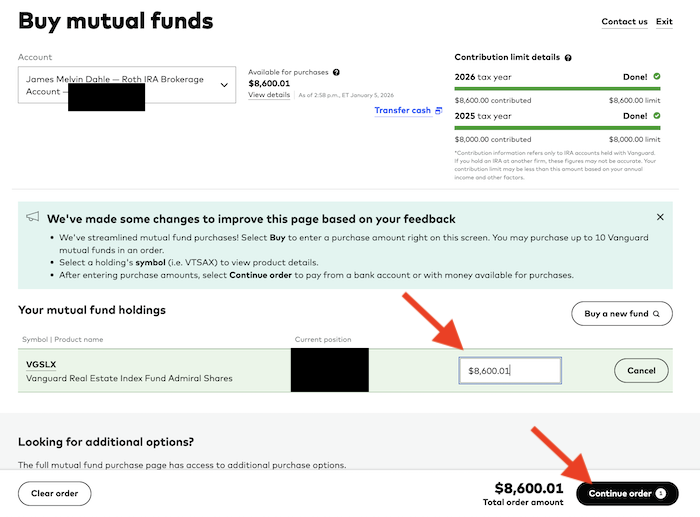
I just bought more of what was already in the account, so all I had to do was put the amount available to purchase into the box and hit “Continue order”.
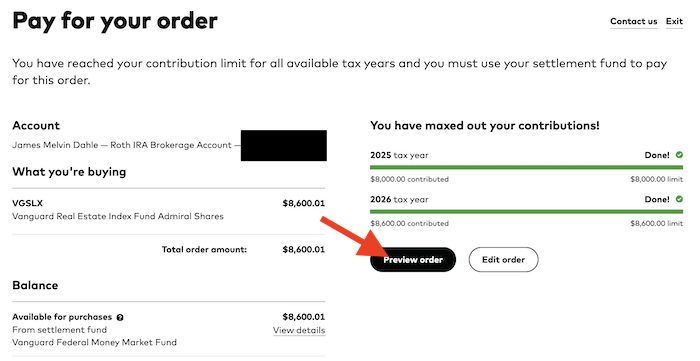
Then hit “Preview order”.
Now hit “Submit order”.
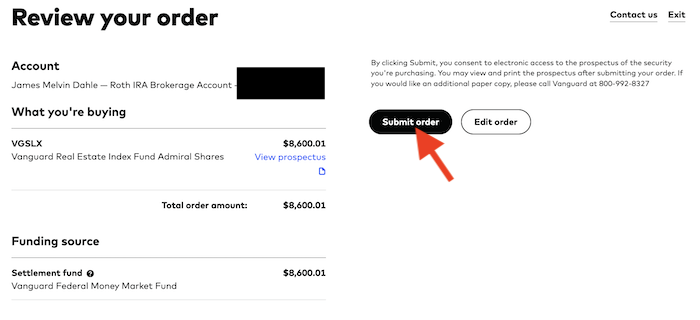
Voila! You're done.
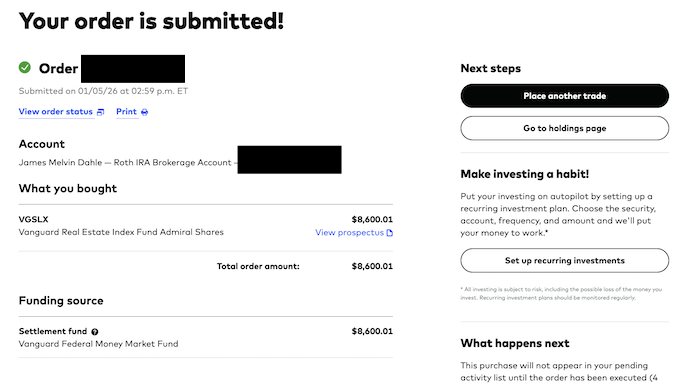
At least until next year. Don't forget to do a spousal Backdoor Roth IRA if available.
The process will be slightly different at Fidelity, Schwab, and other IRA custodians, but the basic steps will remain the same.
If you have a question about the Backdoor Roth IRA and not Vanguard specifically, you should FIRST read this very in-depth Backdoor Roth IRA Tutorial before asking your question in the comments below. I promise you there is a 99% chance your question is answered there.
What do you think? Do you do your Backdoor Roth IRA(s) at Vanguard each year? What problems have you run into? Any questions?
[This updated post was originally published in 2021.]